Paper builds flashcards directly from your sources, so the cards reflect what you actually need to remember - not generic facts.
Generate a deck
- Open a page.
- In the AI Features panel, click the gear icon on the Flashcards tile.
- Pick:
- Difficulty - Easy, Medium, or Hard
- Number of cards - 10, 20, 30, or Custom (up to 75 per generation)
- Card Type - Basic (Q & A), Cloze (fill in the blank), or Mixed
- Time Limit - optional countdown per session
- Optionally narrow which sources or which pages/timestamps to draw from.
- Click Generate. Cards are auto-saved into a new deck named Flashcards · <date> - each generation gets its own deck.
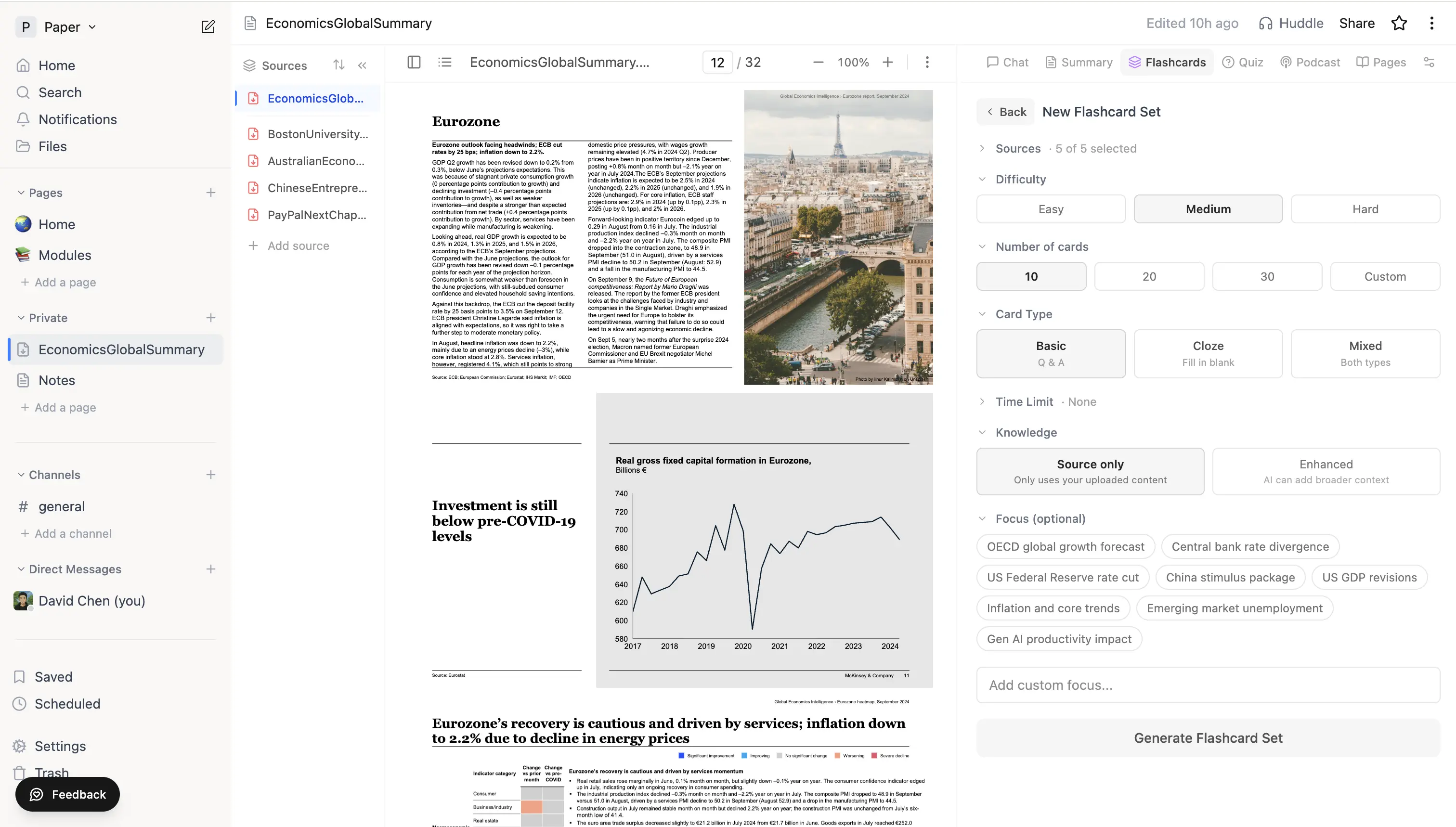 Flashcard generation panel with Difficulty, Number of cards, Card Type, Knowledge scope, and optional Focus chips.
Review on a schedule
The slider opens in Learn mode by default - this is spaced repetition powered by FSRS. Each card has four review buttons:
- Again - you didn't recall it; the card comes back later in this session
- Hard - you struggled; the card comes back later in this session
- Good - you recalled it; the card leaves the queue
- Easy - show it less often
Press 1-4 to rate, space to flip, E to edit the current card. The bucket counter at the top tracks New / Learning / Almost / Solid for the session. Future review dates are scheduled automatically based on the FSRS algorithm.
Switch to Standard mode if you'd rather walk the deck linearly without scheduling - useful for a first pass over freshly generated cards.
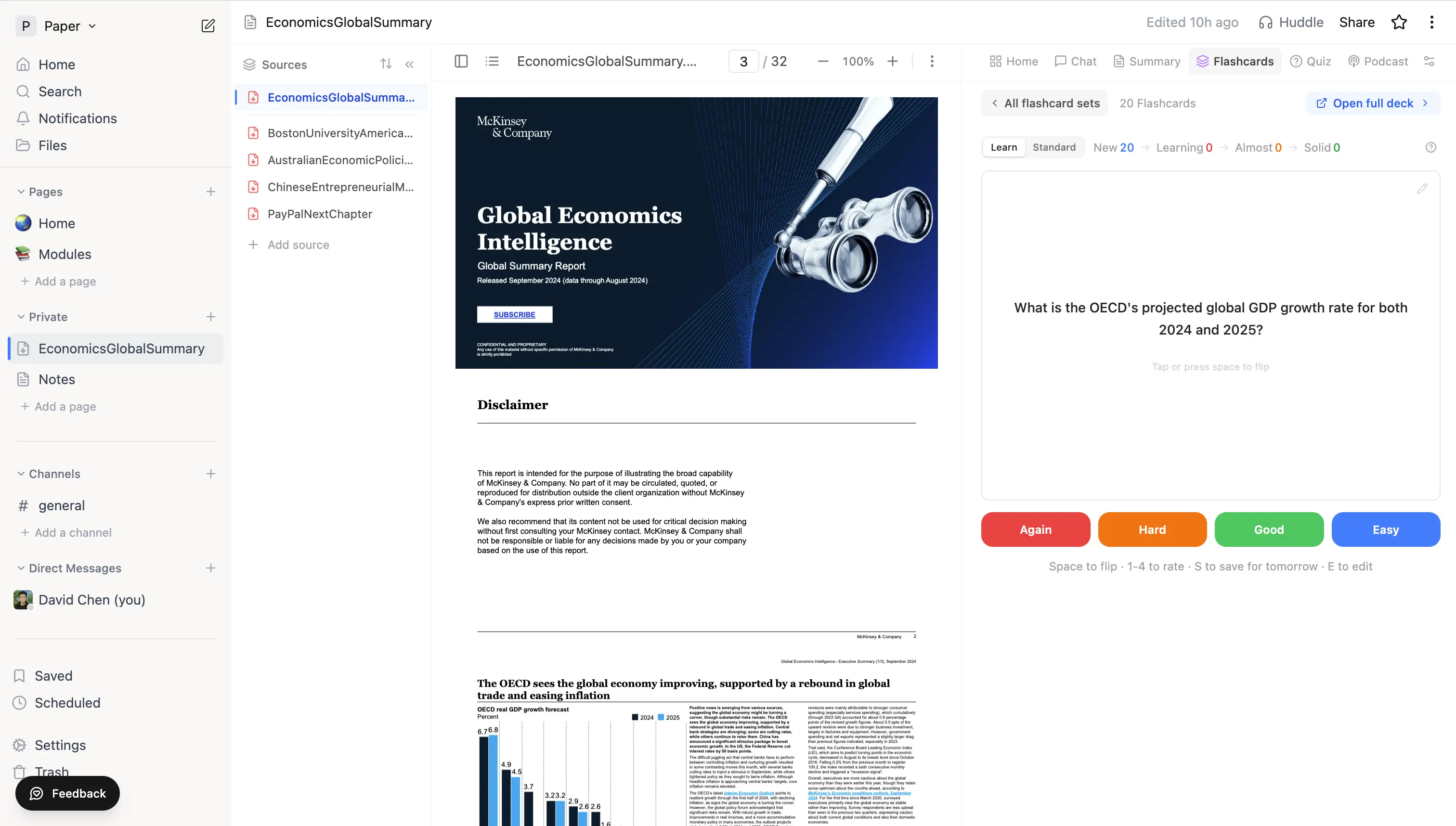 Flashcard review with Again / Hard / Good / Easy buttons, the bucket counter (New / Learning / Almost / Solid) at the top, and the Learn / Standard mode toggle.
Editing cards inline
Hit E (or click the pencil icon on a card) to edit the question, answer, or explanation without leaving the review. ⌘+Enter saves, Esc cancels.
Opening the full deck
Once the slider finishes (or any time after the auto-save completes), click Open full deck to jump to the deck's own page - there you can add cards manually, browse all cards, see review stats, and run longer review sessions.
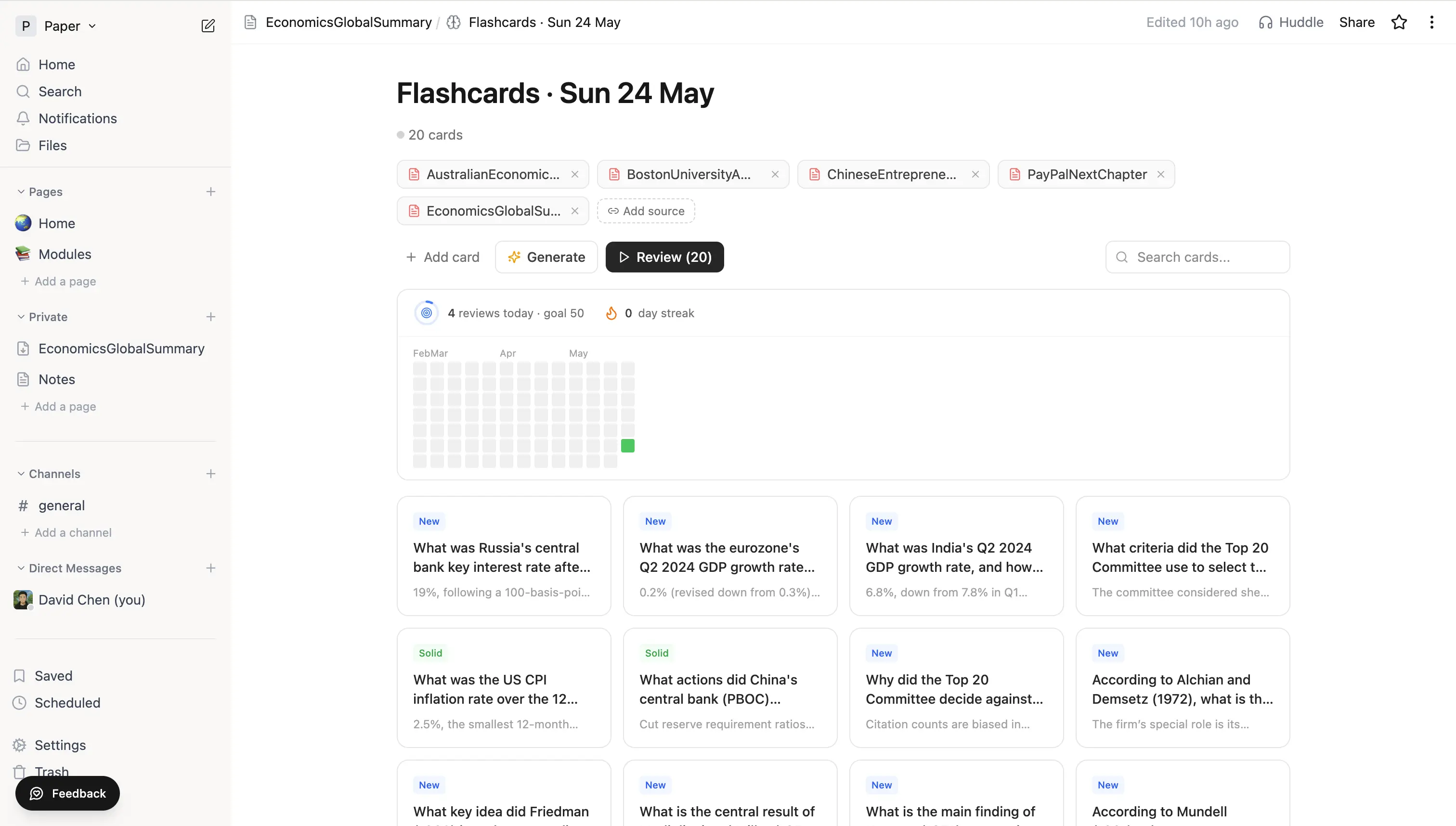 Full deck view with daily review goal, streak counter, contribution-grid heatmap, and individual card statuses.
Tips
- For long documents, generate one deck per section rather than one giant deck. You'll find weak areas faster.
- Edit cards as you go - small phrasing changes often turn an unmemorable card into a memorable one.
- Cards rated Again or Hard loop back inside the same session so you get a second pass while the answer is fresh.
- Cloze cards ("The capital of France is {{c1::Paris}}") are great for facts and definitions where you want to learn the specific word.