A podcast is a multi-host conversation about your sources. Paper writes the script and generates the audio. The result is an MP3 you can play in the app or download.
Generate a podcast
- Open a page.
- In the AI Features panel, click the gear icon on the Podcast tile.
- Configure:
- Style - Deep Dive (lively conversation), Brief (quick overview), Critique (expert review), or Debate (two perspectives)
- Length - 5 min, 10 min, 15 min, or Custom (up to 60 minutes)
- Voices - pick from the available host voices; set per-host
- Language - defaults to your saved preference; override per-podcast
- Focus - optional text box where you can describe what the hosts should concentrate on
- Optionally narrow which sources or page/timestamp ranges to include.
- Click Generate. Short podcasts take ~1-2 minutes; a 60-minute deep dive can take 6-7 minutes end-to-end.
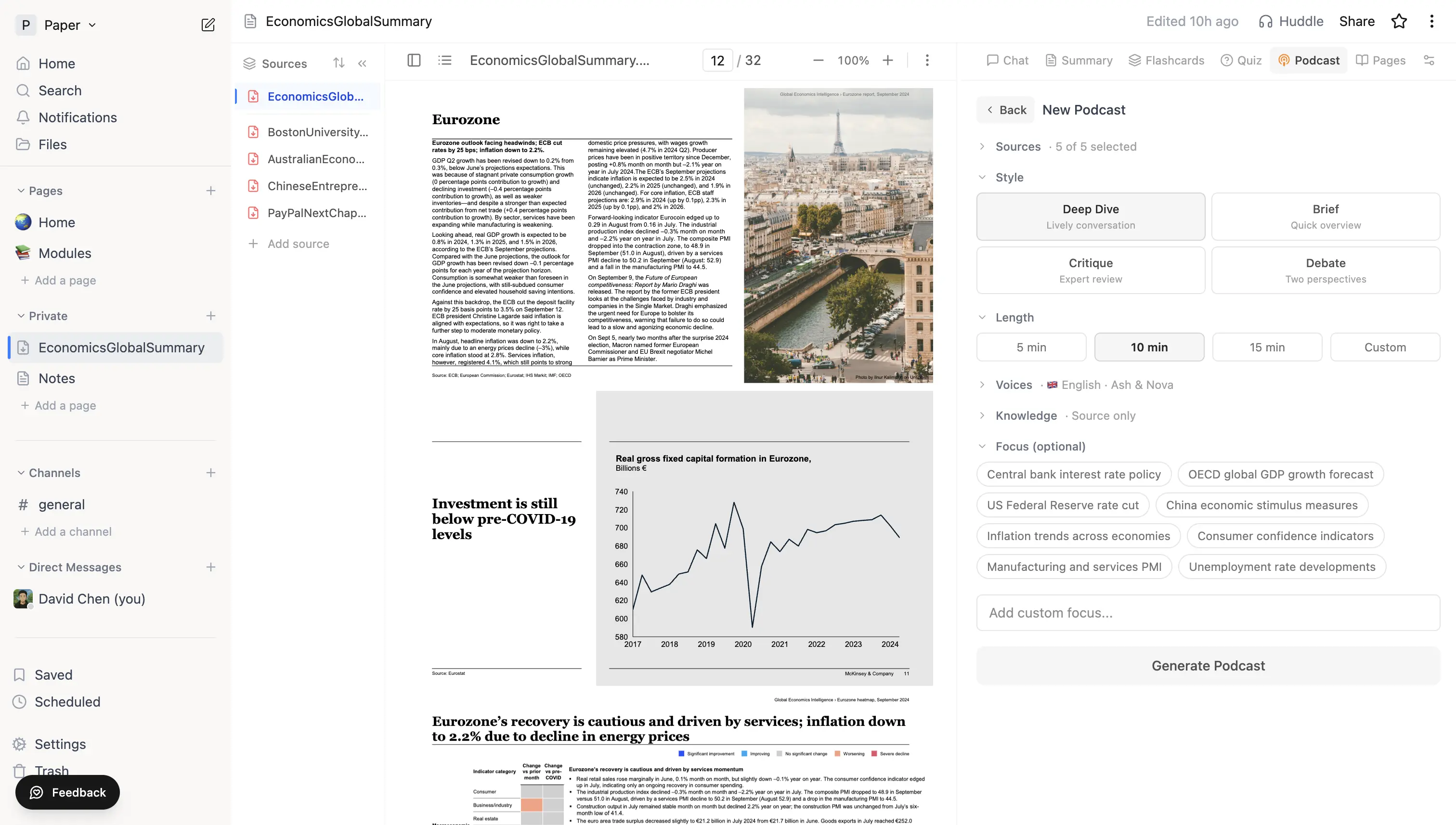 Podcast generation panel showing the four Style options (Deep Dive / Brief / Critique / Debate), length presets, and Focus chips.
Scroll the panel for voice and language options:
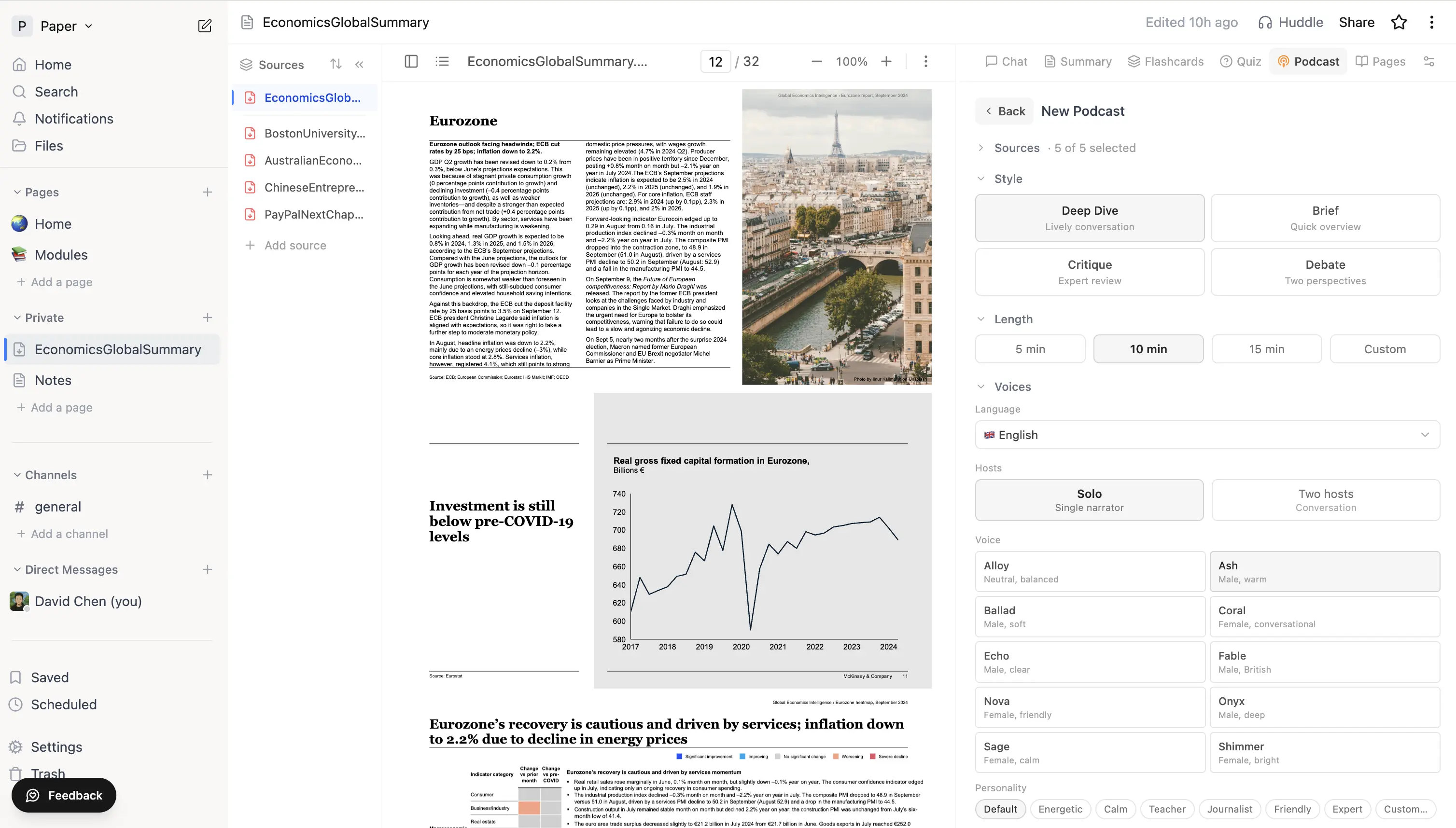 Voice picker with Solo / Two-hosts toggle and the full list of host voices.
What you get
- A persistent mini-player at the bottom of the workspace - playback continues while you keep working
- A synced transcript: the active turn highlights as the audio plays, and clicking any line seeks to that point
- Skip controls (15 s back / forward), playback rate 0.75–2×, and a download link for the MP3
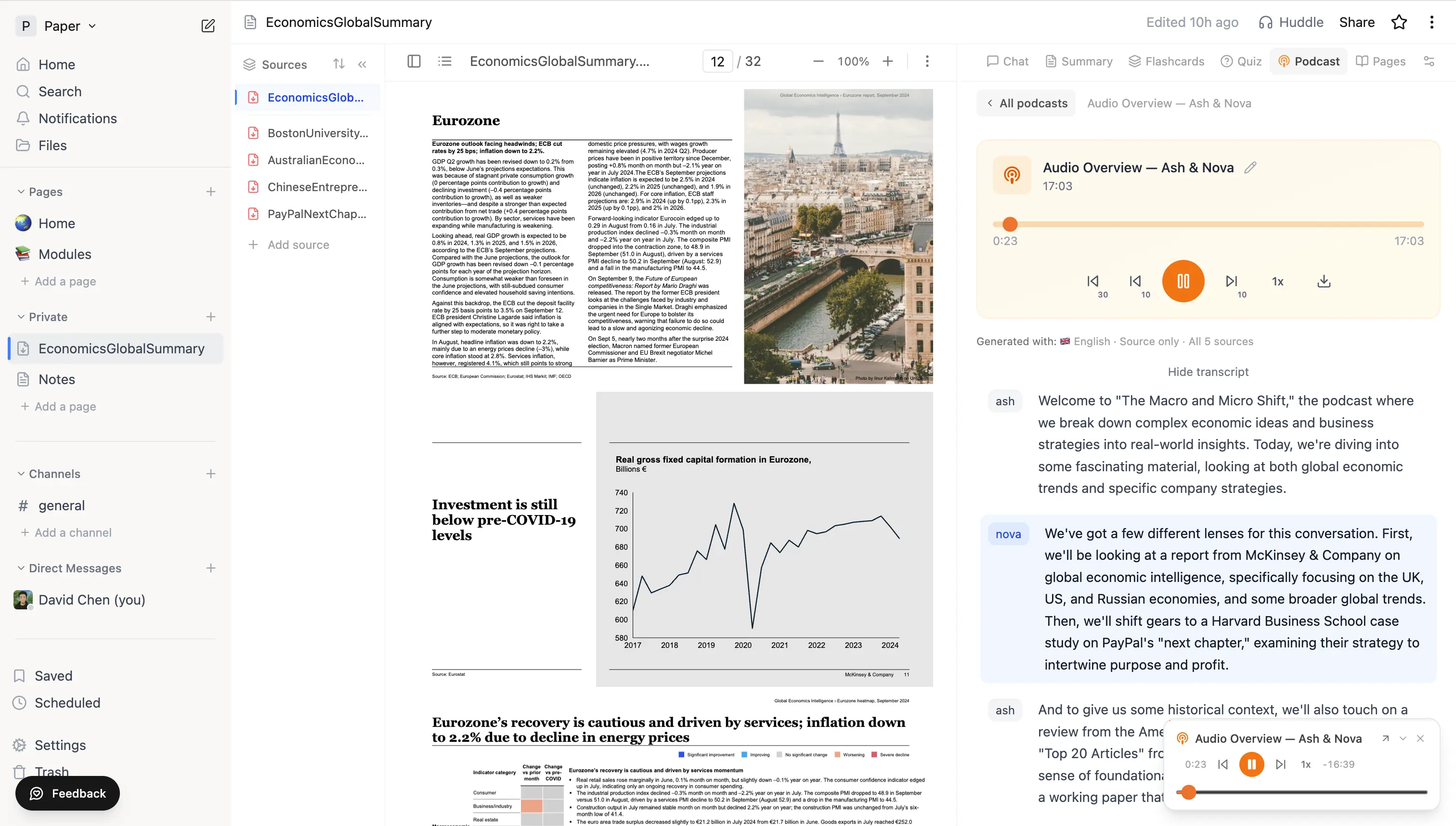 Finished podcast with the inline player, mini-player docked at the bottom, and the synced transcript scrolling alongside.
Limits
Podcast generation is rate-limited to 10 generations per hour, per account. If you hit the limit, wait or re-listen to an existing podcast.
Tips
- The 5- to 15-minute range is the sweet spot - long enough to cover real content, short enough to fit a commute.
- Deep Dive is the default and works well for most material. Try Debate when a source presents competing viewpoints; try Critique for argument-heavy texts you want stress-tested.
- The Focus box dramatically improves quality for long sources - describe the angle you want ("focus on the policy implications, skip the methodology section") and the hosts target it.
- Podcasts use the same source index as chat, so a clean page (transcripts edited, irrelevant sources removed) produces a better script.